Notebooks, tabs and search
Group notes in notebooks. Pin notes and tabs. Search titles, text and tags.
 HoweNotes
Free notes app for Windows
Notebook organization inspired by Evernote and OneNote. Text editing inspired by Notepad++. Encrypted local storage on Windows.
Coming soon to the Microsoft Store
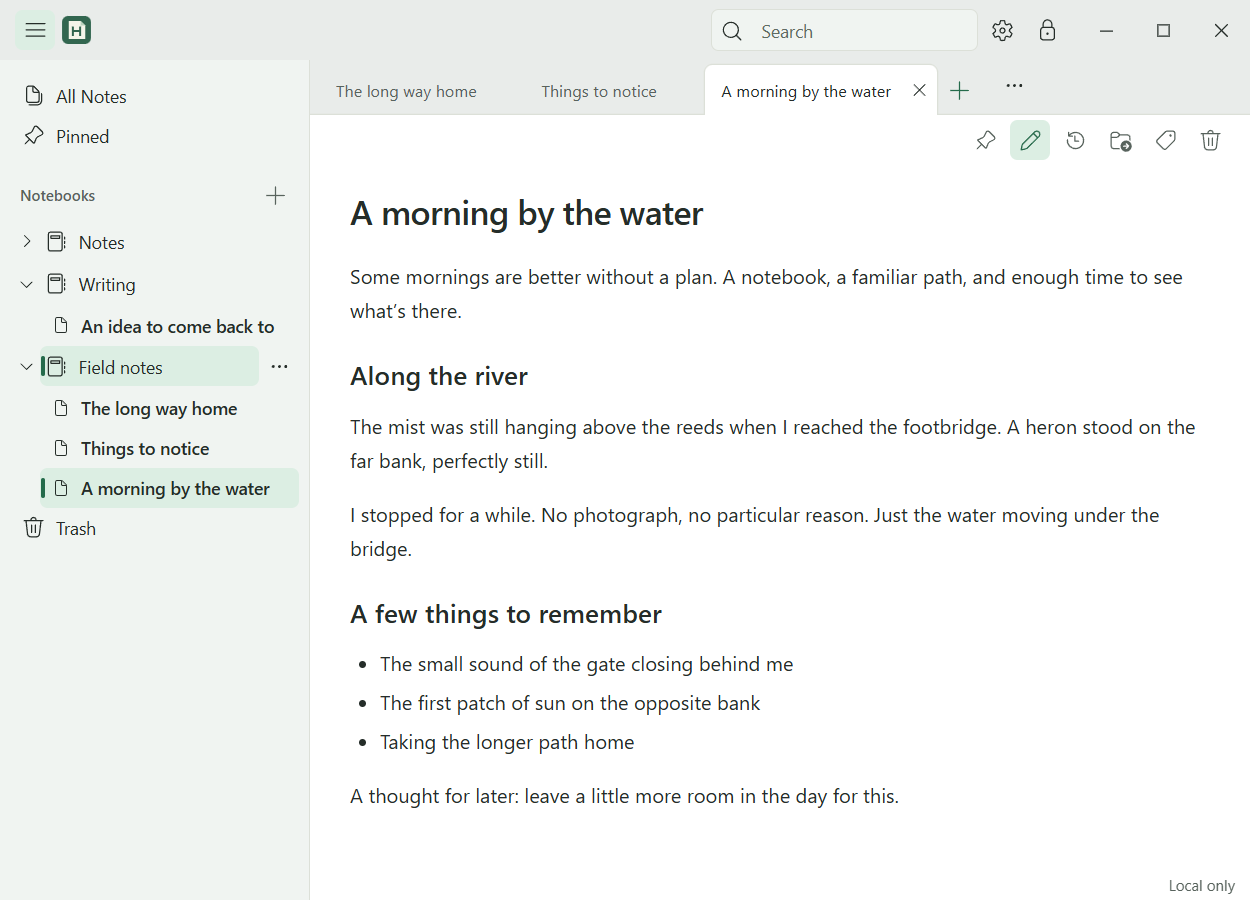
Group notes in notebooks. Pin notes and tabs. Search titles, text and tags.
Edit Markdown source and read in Preview. Use Find/Replace, word wrap, body zoom and customizable keyboard shortcuts.
Notes, images, notebook names and history are encrypted on disk. Local use works offline without an account.
Review earlier revisions, restore notes from Trash, and export encrypted backups. Restore requires the backup file and its original vault passphrase.
HoweNotes is free.
Yes. Local notes, notebooks, search, history and backups work offline without an account.
No. Windows is the current focus.
Same-owner sync is implemented locally. No public sync service is available. Shared notebooks are not offered.
In encrypted vault files on your computer. Notes are decrypted while unlocked. Your vault stays separate from this website.
No. The site uses Cloudflare Web Analytics, which sets no cookies and collects no personal identifiers. See the privacy policy.
256-bit XChaCha20-Poly1305 encrypts your vault and detects tampering. Argon2id makes passphrase guessing more expensive.
In plain English: your stored notes are scrambled with a secret key, changed encrypted data is rejected, and each passphrase guess takes work. Use a strong, unique passphrase of at least 12 characters.
Stored vault content. It does not protect a compromised computer or an unlocked screen.
The backup file and its original vault passphrase. Account sign-in cannot recover a lost vault passphrase.
With your vault passphrase. On the same Windows account you can also use Unlock with Windows, which opens your notes for anyone signed in to that account. Turn on Require Windows Hello in Preferences, under Security & Recovery, and Windows asks for your PIN, fingerprint or face first. Your passphrase always works as a separate way in.
No. Windows Hello checks that you are present before HoweNotes unlocks. It is not encryption, and it does not protect you from someone who controls your Windows account or who already has your passphrase.
An encrypted backup file and your vault passphrase. Create a backup in Preferences, then use Check a backup to confirm that the file opens with its passphrase.
HoweNotes cannot reset it and cannot open your notes for you. Email does not recover anything. Keep your passphrase somewhere outside HoweNotes. A new passphrase needs at least 12 characters.
A backup and its passphrase restore your notes on a new PC as of the day you made the backup. Notes changed since then are not in it. Temporary notes you never kept exist only on the PC they were written on.
Coming soon to the Microsoft Store
Report issues, suggest features, or ask for help.